Helping south Mississippi businesses to thrive

Every business is different. So, when it comes to fiber internet packages, it certainly isn’t a case of one size fits all!

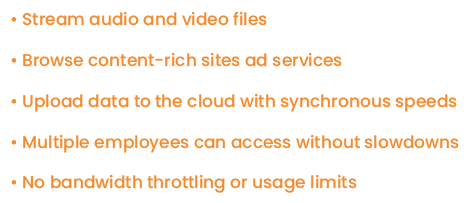
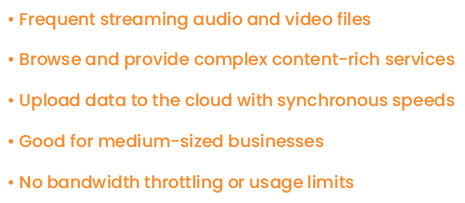
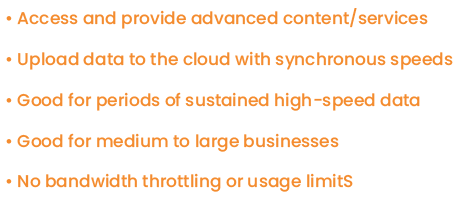
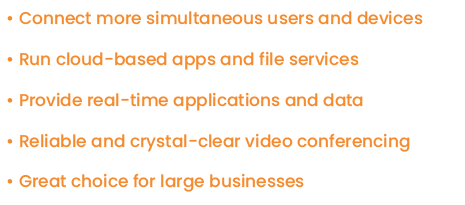
Our packages have been designed to meet your business’ unique needs, with speeds ranging from 100 Mbps to 1000 Mbps.

Back in the 1930s, electric coops brought electricity to rural communities for the first time. Now, we’re proud to be doing the same with super-fast fiber internet.

With our high-speed fiber internet, your business will be able to benefit from all the tools, technologies and opportunities as larger areas.

Our strong, flexible fiber-optic lines transfer data at the speed of light – bringing reliable, super-fast internet to your business.

Husband and wife use tablet and smile.

Whatever your style and your budget, we've got fiber services that will work for you!

All packages include Managed Wi-Fi services. Autopay required for business accounts. All packages include Managed Wi-Fi services. Autopay required for business accounts. Calix Gigaspire included with 1 Gigabit package.

The Benefits of Fiber Internet

Give your business the reliable connection it deserves. Replace slow, outdated internet service with PearlComm Fiber and enjoy high-speed connectivity, advanced fiber technology, and responsive local support. Whether you're serving customers, processing transactions, or collaborating online, PearlComm Fiber helps keep your business running smoothly.

Orange icon for fast speeds.

Super-fast speeds

Orange icon for no limits rocket.

Zero Limits on Data

Orange icon for no commitments.

No Annual Commitment

Orange icon for phone

Fast Uploads and Downloads

Frequently Asked Questions

After your service is installed, you will receive an email to set up a username and password for the customer portal. After you establish your login information you can click the “Pay Bill” button at the top of the page to log in to your account anytime, anywhere.

Members can sign up for autopay in the customer portal. Look for the “AutoPay is inactive” comment in the “Total Balance” section. Click the gear to the right to begin the process of signing up for autopay. Click the slider next to “Enable AutoPay”. Choose either debit/credit card or new checking/savings account to set up your autopay. If you choose “debit/credit”, a payment will need to be made to set up this autopay feature. If you choose “new checking/savings account”, you can simply fill out the information and click “save changes”.

Members can automatically change their package in the customer portal anytime. You will be prorated for each internet package on your bill.